kneed
Knee-point detection in Python
kneed is a Python library for detecting knee (elbow) points in curves using the Kneedle algorithm. Given a set of x and y values, it identifies the point of maximum curvature — the "knee" or "elbow" of the curve.
Key Features
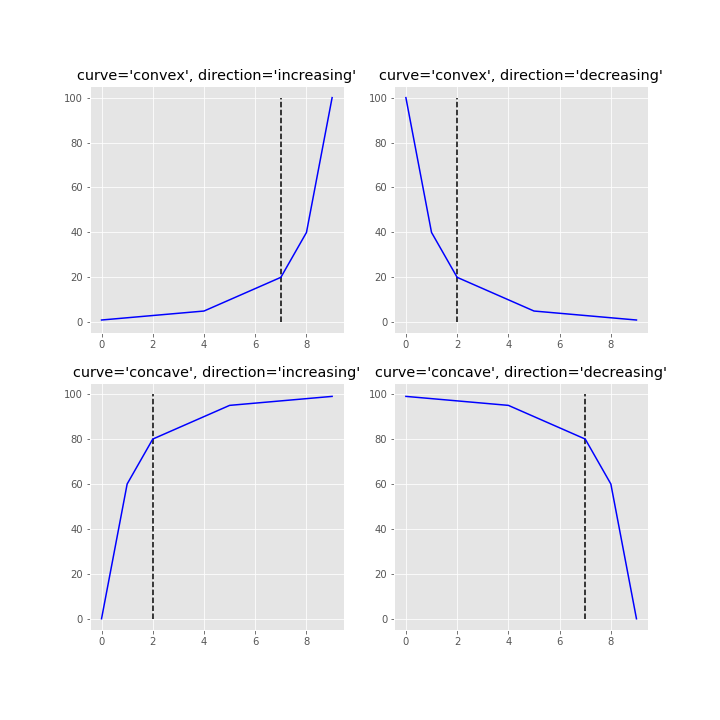
- Knee and elbow detection for concave and convex curves
- Increasing and decreasing function support
- Automatic shape detection with
find_shape() - Multiple knee detection via online mode
- Tunable sensitivity parameter (
S) for fine-grained control - Multiple interpolation methods —
interp1dandpolynomial - Built-in plotting for quick visualizations
Quick Example
from kneed import KneeLocator, DataGenerator

x, y = DataGenerator.figure2()
kl = KneeLocator(x, y, curve="concave", direction="increasing")

print(kl.knee)    # 0.222
print(kl.knee_y)  # 1.897
Interactive App
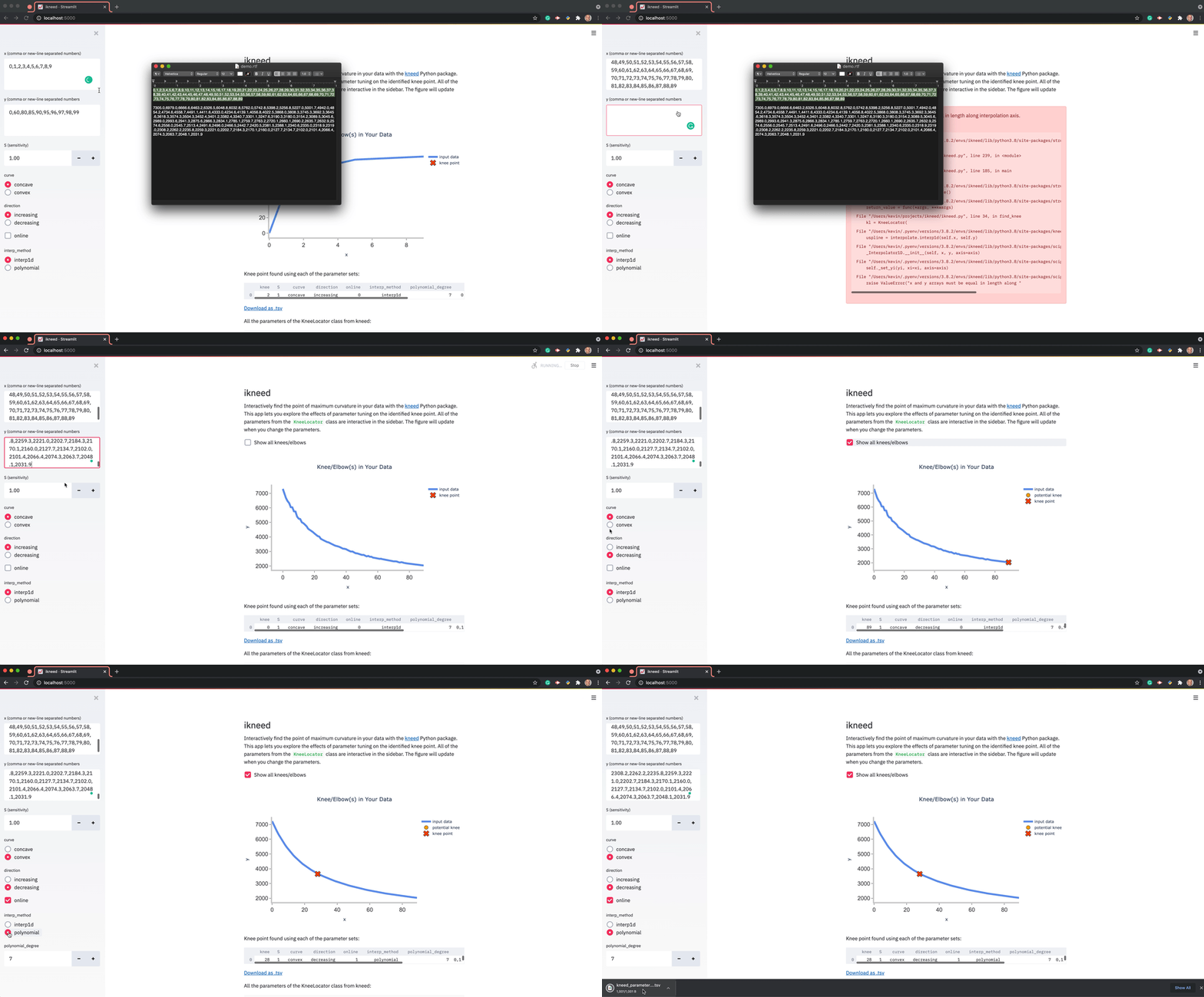
Explore kneed parameters interactively with the Streamlit app:
Citation
If you use kneed in your research, please cite:
Satopa, V., Albrecht, J., Irwin, D., and Raghavan, B. (2011). "Finding a 'Kneedle' in a Haystack: Detecting Knee Points in System Behavior." 31st International Conference on Distributed Computing Systems Workshops, pp. 166-171.